Сhallenge:
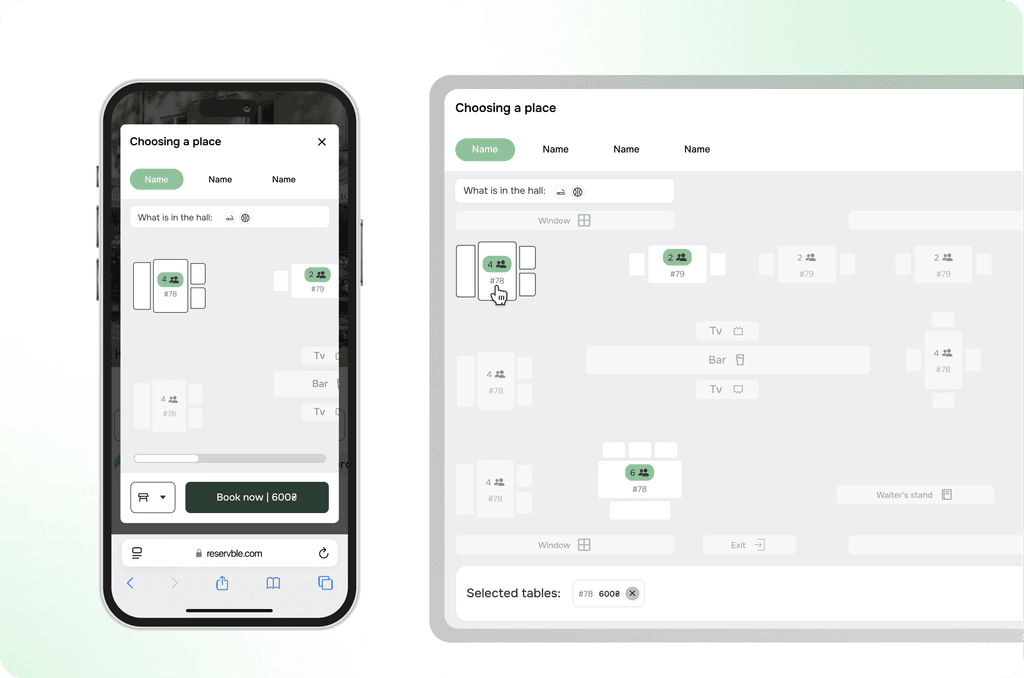
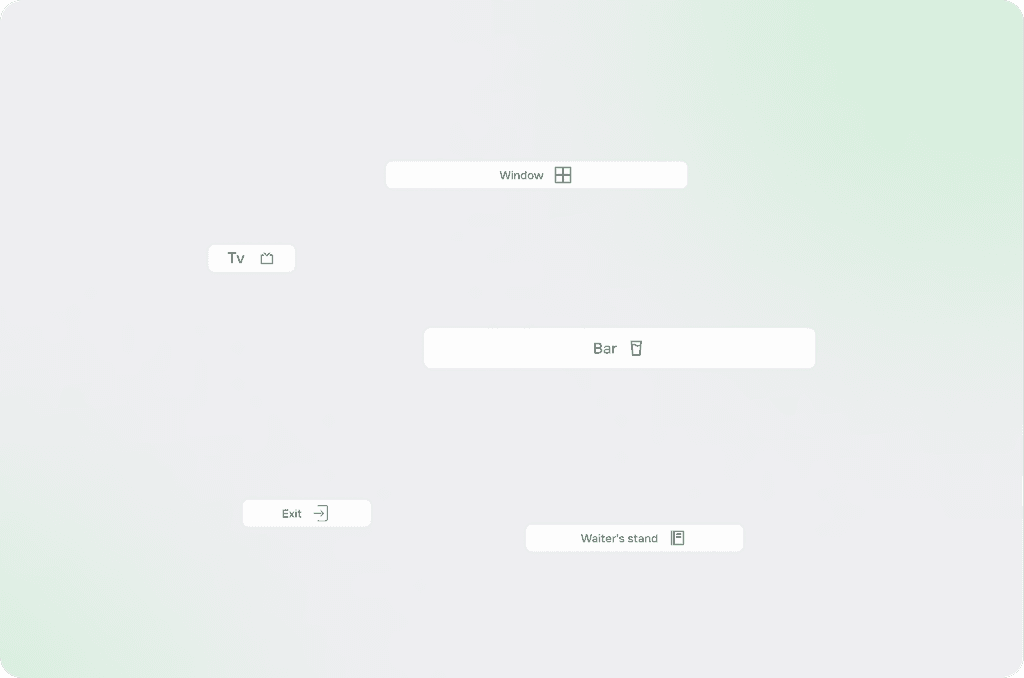
The problem was that some users choose tables based on personal preferences and specific requirements. For example, some users prefer tables from which the television is easily visible, allowing them to watch shows or important events during their stay. Others, on the contrary, try to avoid seats near windows or doors, as these locations can be uncomfortable due to drafts, excess noise, or too much sunlight.
Solution:
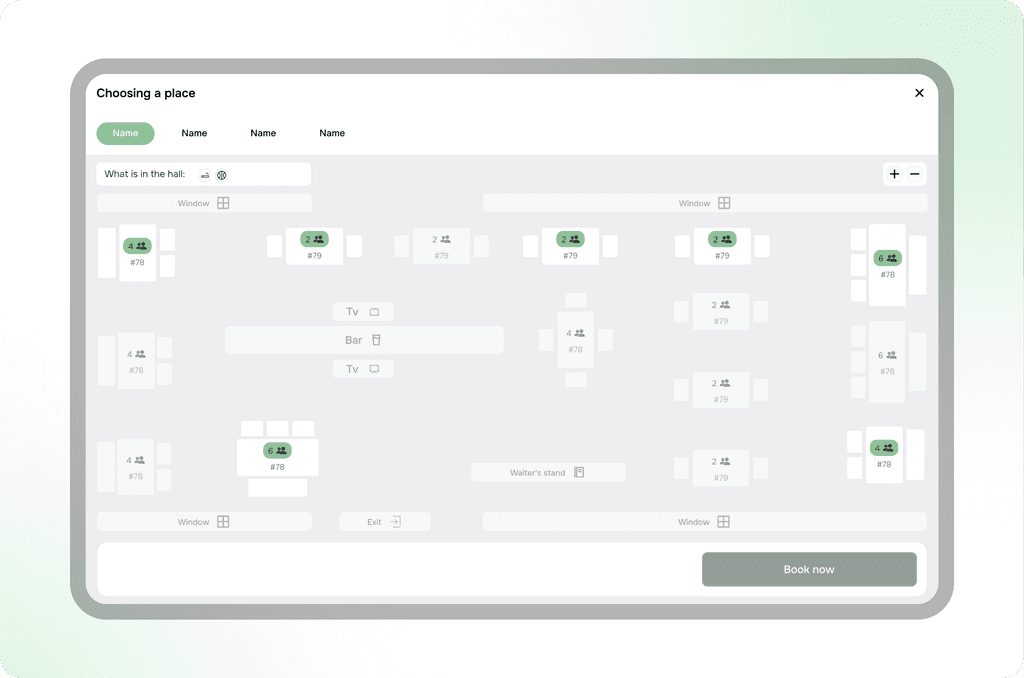
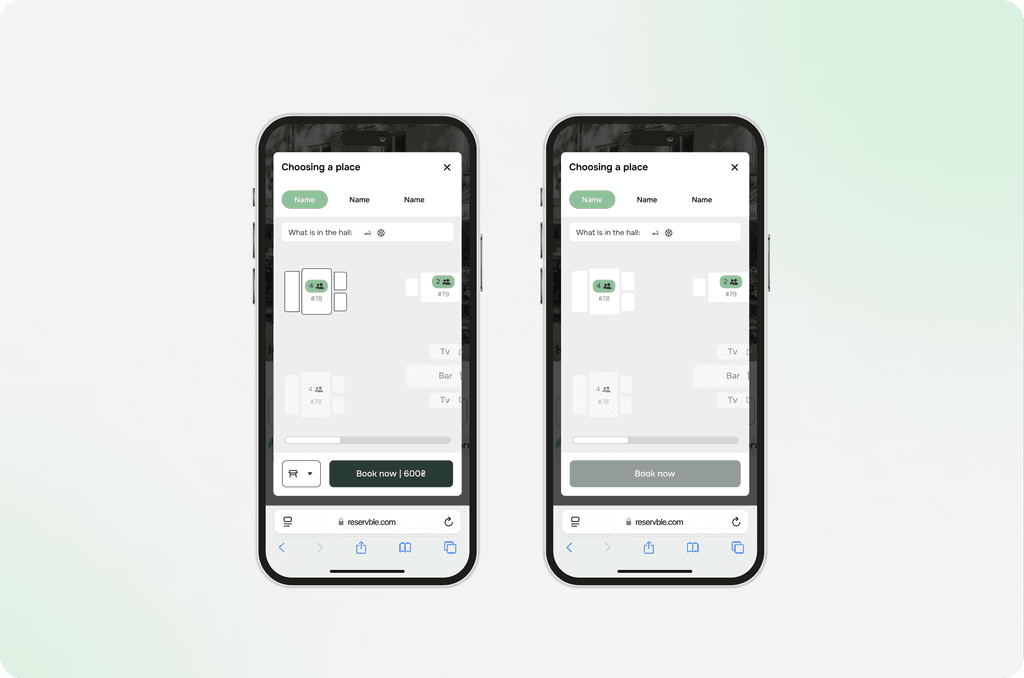
Therefore, a series of interface components was developed to ensure convenience and intuitiveness in navigation when selecting seats. These components include visual indicators that show users the location of important objects such as the bar counter, television, windows, doors, and other key areas.
Сhallenge:
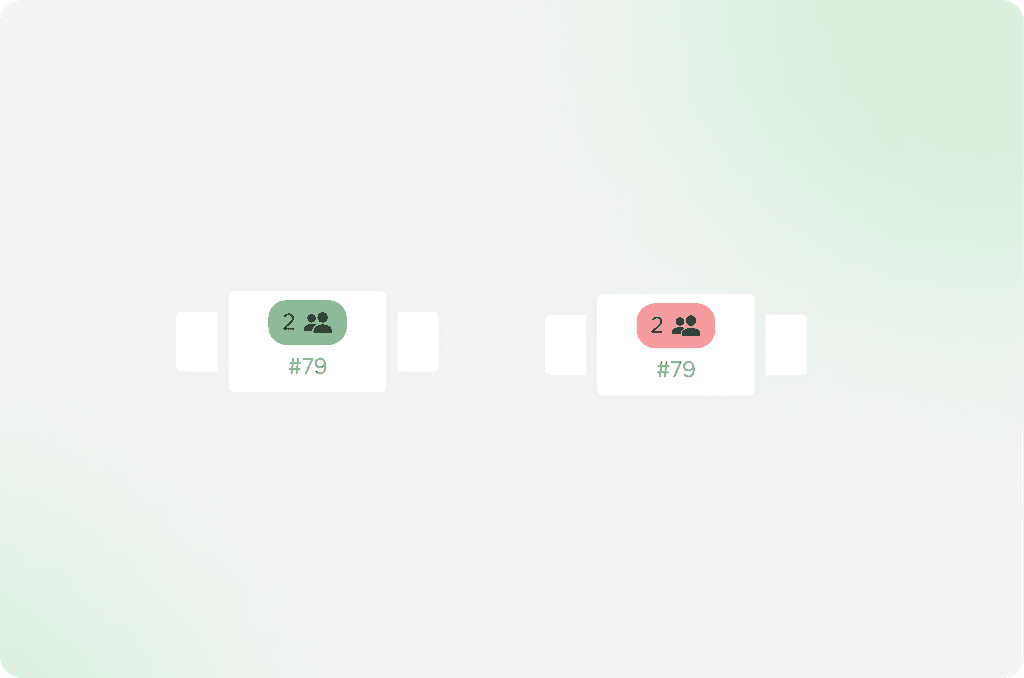
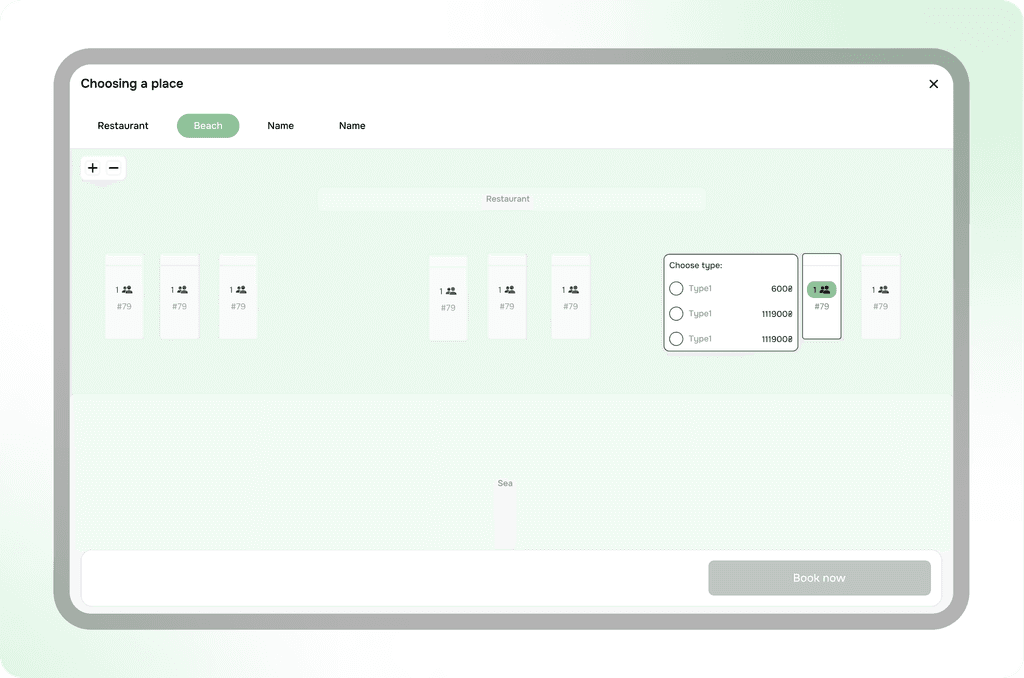
One of the key challenges was creating a universal solution that would allow the developed seating scheme to be used not only for table selection but also for other types of seating, such as lounge chairs or gazebos. This required taking into account various features of each of these objects, such as their location, functionality, number of seats, availability for booking, and other factors.